
Multi Agent Creative Studio
27AI-powered multi-agent system for creative content generation and studio workflow automation
Getting Started
README
🚀 Autonomous Hacks 26 | Online Agentic Hackathon Submission
⏱️ 36-Hour Online Hackathon
20 December, 8:00 AM → 21 December, 12:00 PM🧠 Problem Statement 6: Multi-Agent Creative Studio
Built using Agent-to-Agent (A2A) communication and iterative refinement.🌐 Hackathon Website: https://autonomoushacks.co.in/
Multi-Agent Creative Studio 🎨🤖
A sophisticated multi-agent system that uses Agent-to-Agent (A2A) communication and iterative refinement to generate, critique, refine, and present creative ideas. Built with Google Gemini 2.5 Flash.
Now available with both CLI and Web UI interfaces!
🌟 Features
Multi-Agent Architecture
This project implements a complete creative workflow using four specialized AI agents:
- 💡 Idea Agent: Generates 3 unique creative concepts based on any topic
- 🔍 Critic Agent: Analyzes flaws, weaknesses, and opportunities in the ideas
- ✨ Refiner Agent: Improves ideas based on the critic's feedback
- 📊 Presenter Agent: Produces a final structured, professional presentation
Why Agentic?
- Agent-to-Agent (A2A) Communication: Agents pass data to each other, creating a seamless workflow
- Iterative Refinement: Ideas are progressively improved through multiple stages
- Specialized Roles: Each agent has a specific expertise and responsibility
- Autonomous Decision Making: Agents process information and make decisions independently
🛠️ Technology Stack
- Language: Python 3.8+
- AI Model: Google Gemini 2.5 Flash (
gemini-2.5-flash) - Framework: Google ADK (Agent Development Kit)
- Interfaces: CLI and Web UI (Streamlit)
- Libraries:
google-genai- Google's modern Generative AI SDKpython-dotenv- Environment variable managementstreamlit- Interactive web interface
📋 Prerequisites
- Python 3.8 or higher
- Google API Key (for Gemini API access)
- pip (Python package manager)
🚀 Installation
- Clone the repository:
git clone https://github.com/mayankgautam-dev/multi-agent-creative-studio.git
cd multi-agent-creative-studio
- Install dependencies:
pip install -r requirements.txt
- Set up environment variables:
cp .env.example .env
- Add your Google API Key to the
.envfile:
GOOGLE_API_KEY=your_google_api_key_here
💡 Get your API key: Visit Google AI Studio to obtain a free API key.
💻 Usage
Web UI (Recommended)
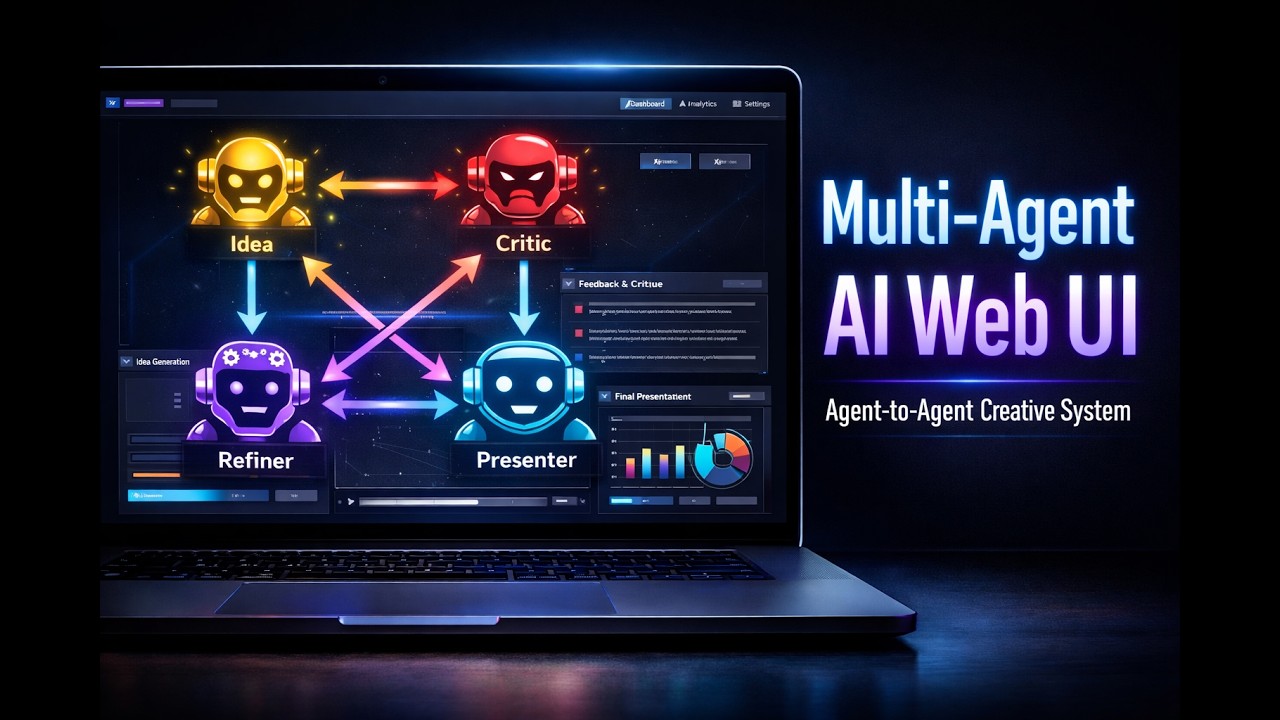
Launch the interactive web interface:
streamlit run app.py
The app opens automatically in your browser at http://localhost:8501. Features include:
- 🎨 Interactive topic input
- 📊 Real-time progress tracking
- 📑 Tabbed results display
- 💾 One-click download
For detailed Web UI documentation, see README_UI.md.
Command Line Interface (CLI)
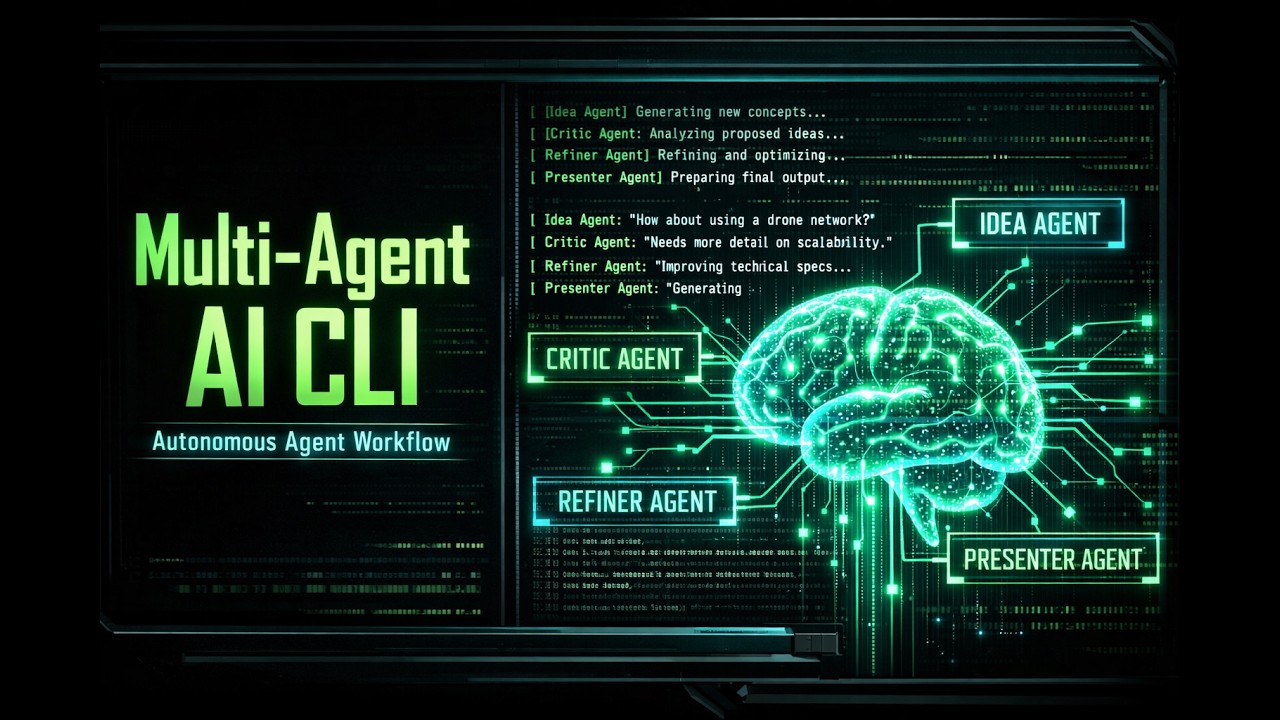
Run the creative studio with a default topic:
python main.py
Specify your own topic for creative idea generation:
python main.py "Your creative topic here"
CLI Examples
# Example 1: Mobile app idea
python main.py "A mobile app for learning languages through games"

# Example 2: Business concept
python main.py "An eco-friendly food delivery service"

# Example 3: Product idea
python main.py "Smart home device for elderly care"
💡 Quick Start: See QUICKSTART.md for a 5-minute setup guide.
📊 How It Works
Agent-to-Agent Communication Flow
┌─────────────────┐
│   Idea Agent    │ Generates 3 creative concepts
└────────┬────────┘
         │ A2A Communication
         ▼
┌─────────────────┐
│  Critic Agent   │ Analyzes flaws and opportunities
└────────┬────────┘
         │ A2A Communication
         ▼
┌─────────────────┐
│ Refiner Agent   │ Improves ideas based on feedback
└────────┬────────┘
         │ A2A Communication
         ▼
┌─────────────────┐
│Presenter Agent  │ Creates final professional output
└─────────────────┘
Workflow Steps
-
💡 Generation Phase:
- Idea Agent receives a topic
- Generates 3 unique creative concepts with titles, descriptions, and USPs
-
🔍 Analysis Phase:
- Critic Agent receives ideas from Idea Agent (A2A)
- Analyzes strengths, weaknesses, feasibility, market potential, and risks
-
✨ Refinement Phase:
- Refiner Agent receives critique from Critic Agent (A2A)
- Improves ideas by addressing weaknesses and enhancing strengths
-
📊 Presentation Phase:
- Presenter Agent receives refined ideas from Refiner Agent (A2A)
- Creates comprehensive presentation with executive summary, recommendations, and action items
- Saves output to a markdown file
📁 Output
The system generates a markdown file with the complete creative process and final recommendations:
- Filename format:
creative_studio_output_YYYYMMDD_HHMMSS.md - Contents:
- Executive Summary
- Creative Process Overview
- Final Recommendations (Top 3 Ideas)
- Comparison Analysis
- Next Steps and Action Items
🏗️ Project Structure
multi-agent-creative-studio/
│
├── main.py                 # Main orchestration script
├── app.py                  # Streamlit web UI
├── idea_agent.py          # Idea generation agent
├── critic_agent. py        # Critique and analysis agent
├── refiner_agent. py       # Idea refinement agent
├── presenter_agent.py     # Final presentation agent
├── requirements.txt       # Python dependencies
├── .env.example          # Environment variables template
├── .gitignore            # Git ignore rules
├── .streamlit/            # Streamlit configuration
│   └── config.toml       # UI theme settings
├── README.md             # This file
├── README_UI.md          # Web UI documentation
├── QUICKSTART. md         # Quick start guide
├── ARCHITECTURE.md       # Technical architecture
├── SAMPLE_OUTPUT.md      # Example outputs
├── test_structure.py     # Structure validation tests
└── test_ui.py            # UI tests
🔧 Configuration
Model Selection
By default, the system uses gemini-2.5-flash. To use a different model, modify the model_name parameter in main.py:
studio = CreativeStudio(api_key, model_name="gemini-2.5-flash")
Customizing Agents
Each agent is modular and can be customized independently:
- Modify prompts in the respective agent files
- Adjust response formats
- Add additional analysis criteria
🎯 Use Cases
- Product Development: Generate and refine product ideas
- Marketing Campaigns: Create campaign concepts
- Business Strategy: Develop business ideas and strategies
- Content Creation: Generate content themes and approaches
- Innovation Workshops: Facilitate brainstorming sessions
- Startup Ideas: Validate and improve startup concepts
📚 Documentation
- README_UI.md - Complete Web UI guide with features and troubleshooting
- QUICKSTART. md - Get started in 5 minutes
- ARCHITECTURE. md - Technical architecture and A2A communication details
- SAMPLE_OUTPUT.md - Example outputs and use cases
🤝 Contributing
Contributions are welcome! Please feel free to submit a Pull Request.
📝 License
This project is open source and available under the MIT License.
🙏 Acknowledgments
- Built with Google Gemini 2.5 Flash
- Powered by Google ADK (Agent Development Kit)
- Inspired by modern agentic AI architectures
📧 Contact
For questions or feedback, please open an issue on GitHub.
Made with ❤️ by InnoV8 Team